Practice with a Metronome on Beats 2 and 4
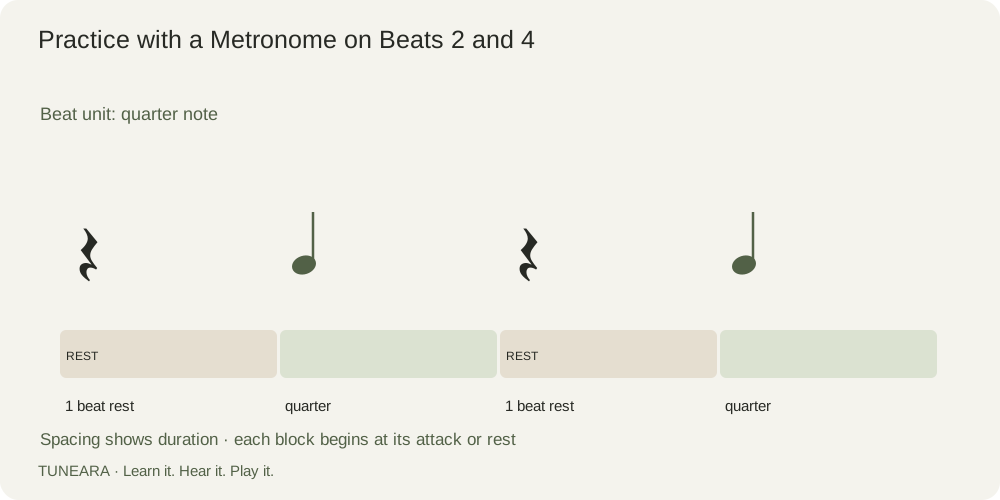
To practice clicks on 2 and 4, set the metronome to half your intended quarter-note tempo and count the clicks as the second and fourth beats of each 4/4 measure.
How to place metronome clicks on beats 2 and 4
This exercise leaves beats 1 and 3 to your internal pulse. It can help you hear backbeat placement, but it is a practice choice rather than a required way to learn time. Establish a reliable four-beat count first so you are reducing click density deliberately rather than guessing where the measure begins.
Count a half-tempo click as the backbeat
For quarter note = 100, set a plain regular click to 50. Say “1” before the first click, “2” on that click, “3” between clicks, and “4” on the next. Two clicks complete one measure. If your device accents click 1, that accent may conflict with your intended interpretation; choose a plain click if available.
Try it in practice
Count two measures without playing. Then play one comfortable note on each quarter-note beat for four measures. Stop playing for a measure while counting, and rejoin on 1. Record a short attempt and listen for whether you rush the silent beats or begin treating the clicks as 1 and 3.
Avoid a common mistake
Do not halve the intended musical tempo along with the click setting. The music stays at 100 quarter beats per minute in this example. If you lose the measure repeatedly, return to four clicks per bar or say the numbers aloud before trying fewer reference points.
Read the visual example
What to learn next
Connect this lesson to BPM and beat length, then try time signatures and beat grouping.
References and further learning

Get Tuneara
Your next practice
starts here.
A free tuner and metronome for iPhone and Android.